English:
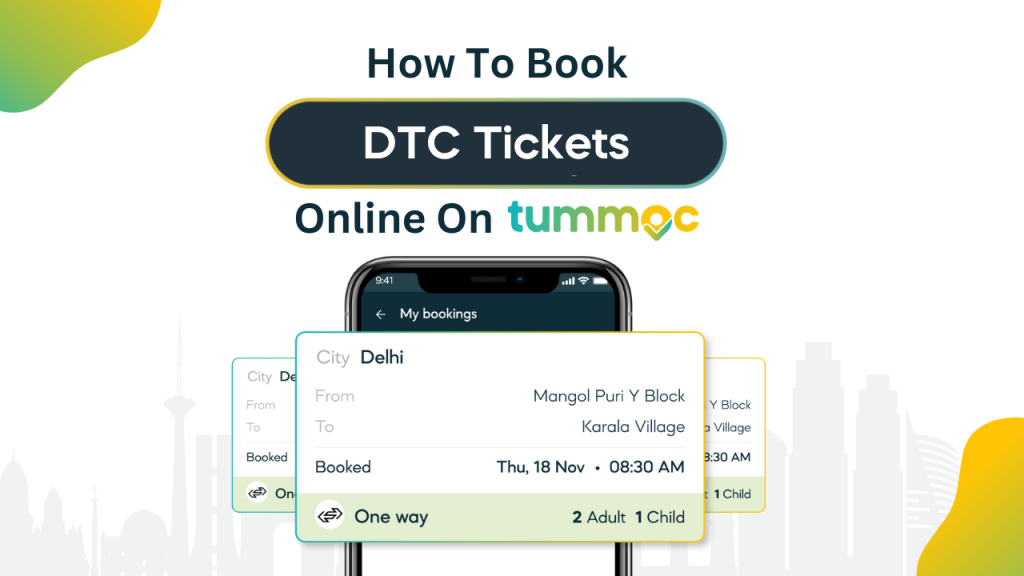
After launching live tracking of DTC buses, we’re so excited to tell you about our latest feature. You can now book DTC tickets online on Tummoc. That’s right, you can buy DTC bus tickets on your phone, in just a few taps.
And you know what the best part is? You get to enjoy 10% discount on all tickets booked online.
If you’re a regular DTC bus traveller, you know there are pink tickets available for female passengers. The process for booking pink tickets is slightly different. We haven’t launched pink tickets on Tummoc yet, but it’s coming soon! Stay tuned.
Step-by-Step Process on How to Book DTC Bus Tickets Online on Tummoc
- Open the Tummoc app and tap on the “Bus Tickets” button.
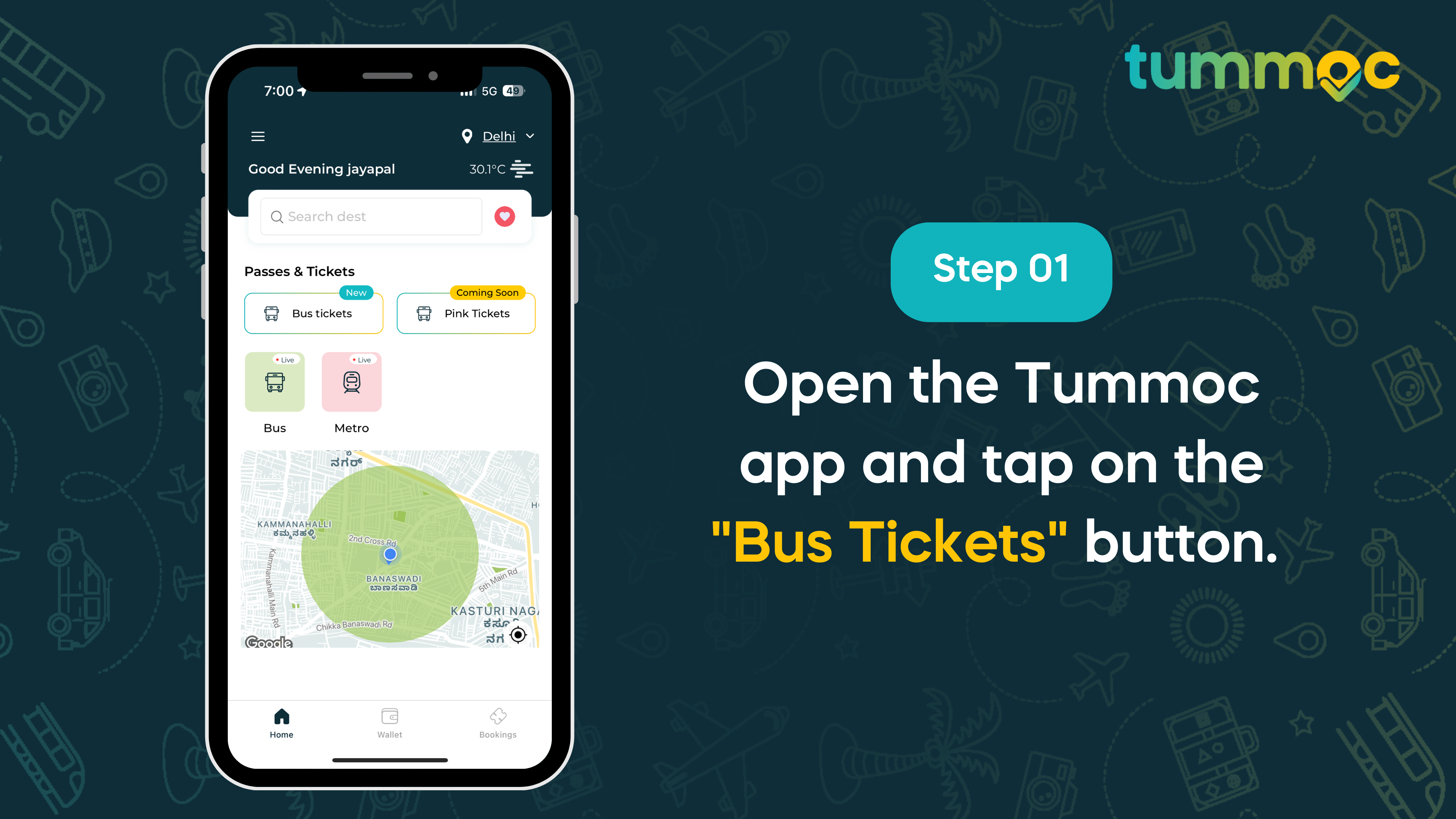
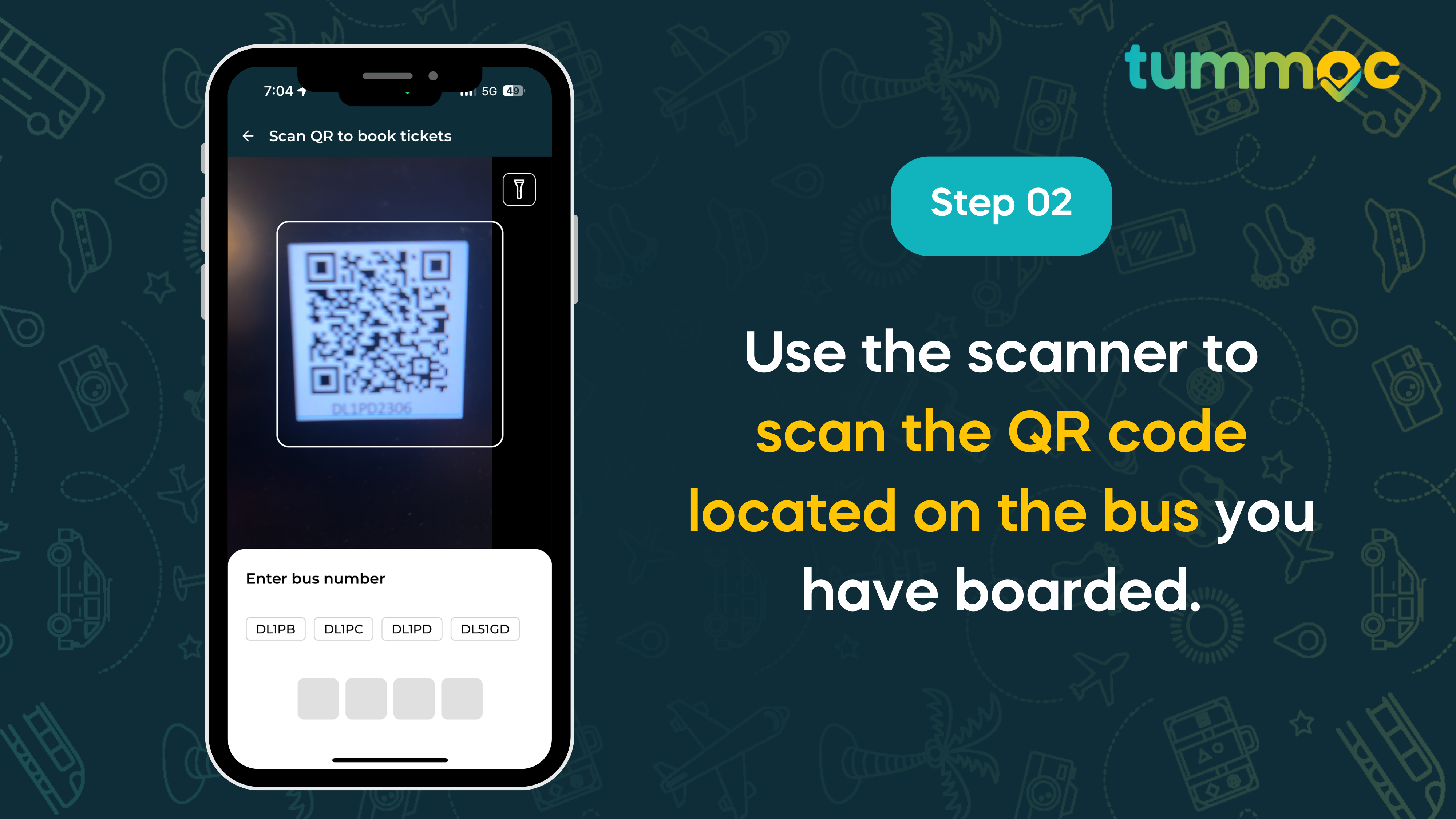
- Use the scanner to scan the QR code located on the bus you have boarded.
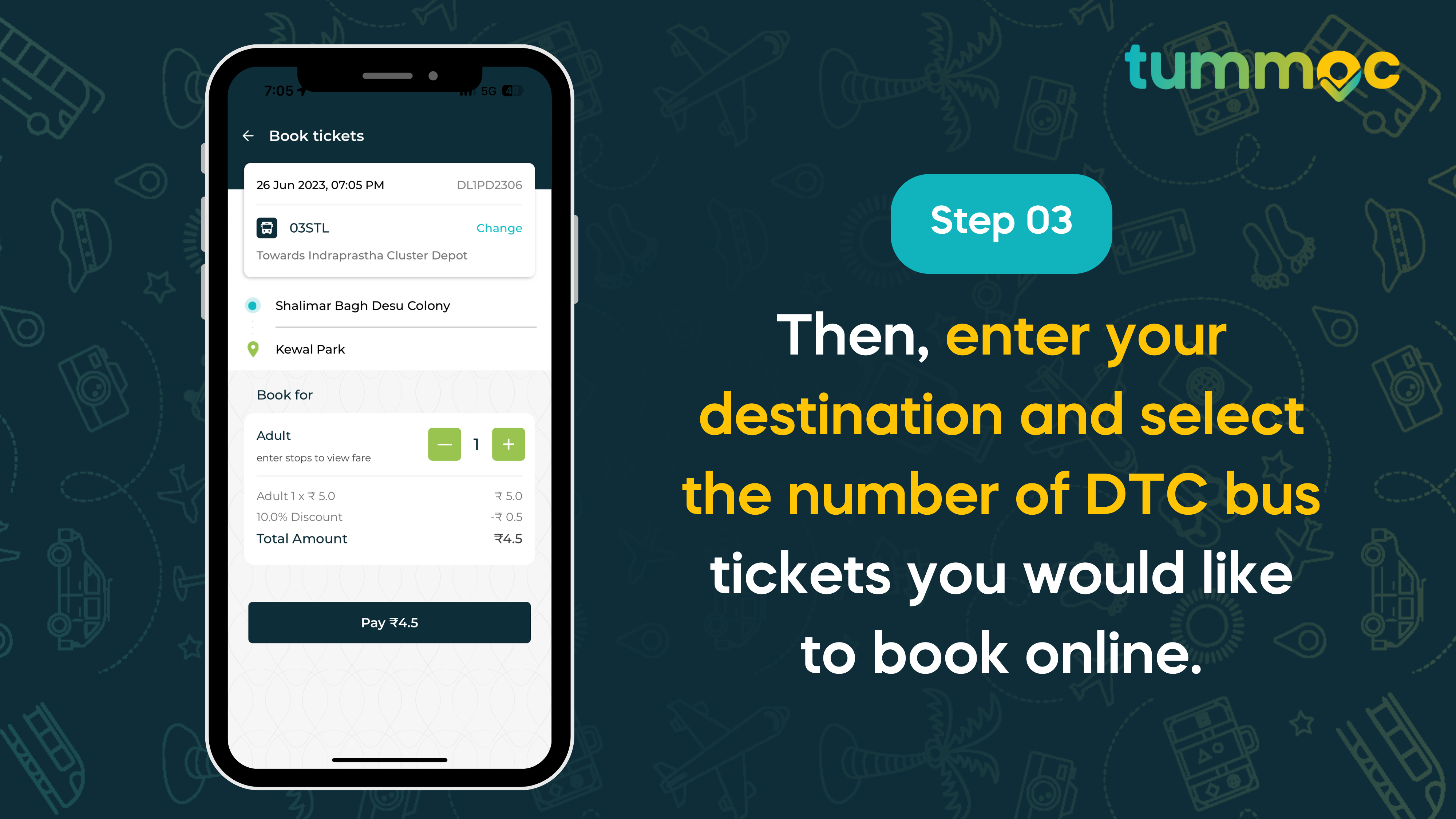
- Then, enter your destination and select the number of DTC bus tickets you would like to book online.
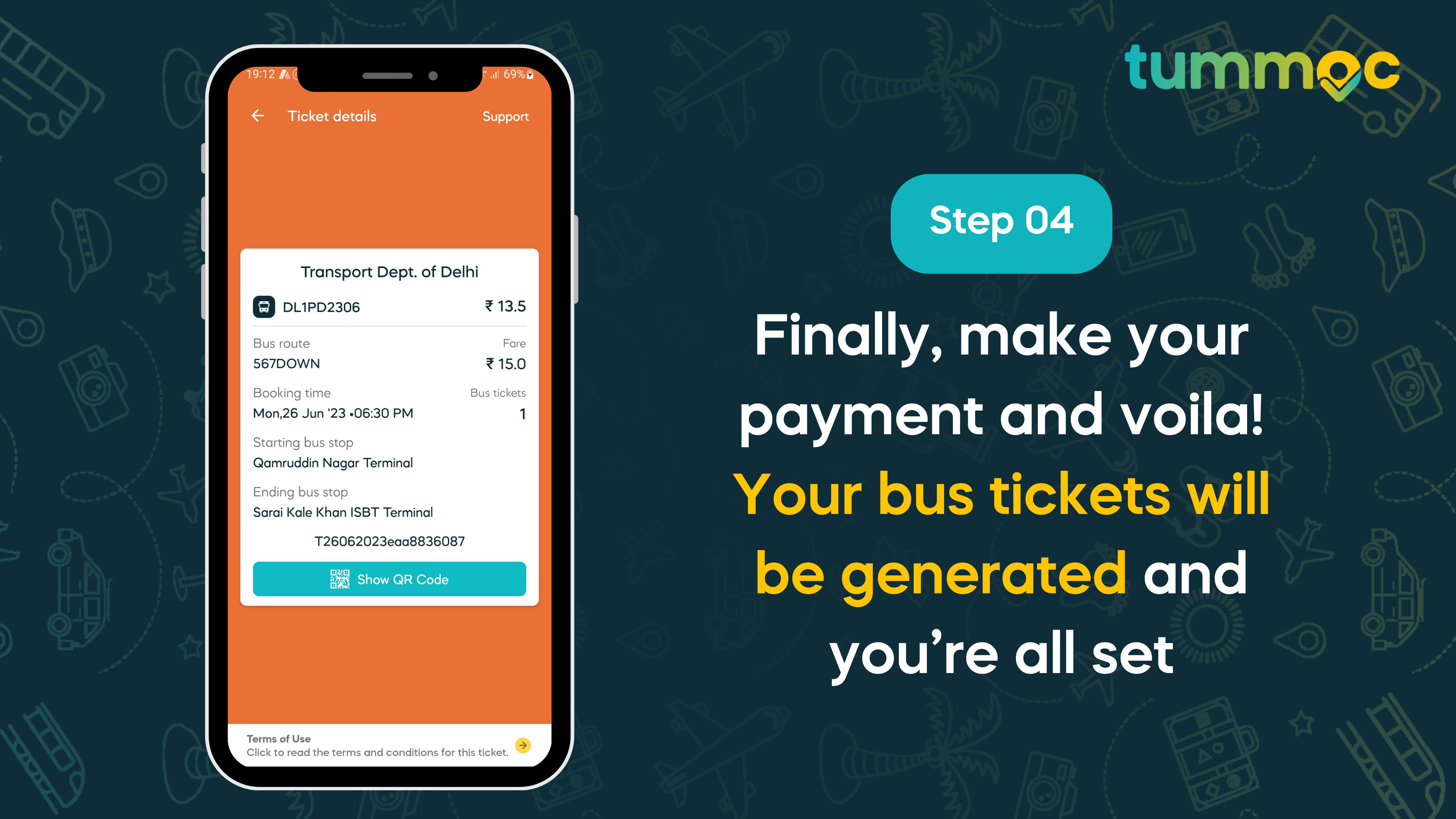
- Finally, make your payment and voila! Your bus tickets will be generated and you’re all set.
Alternatively, you can follow these steps:
-
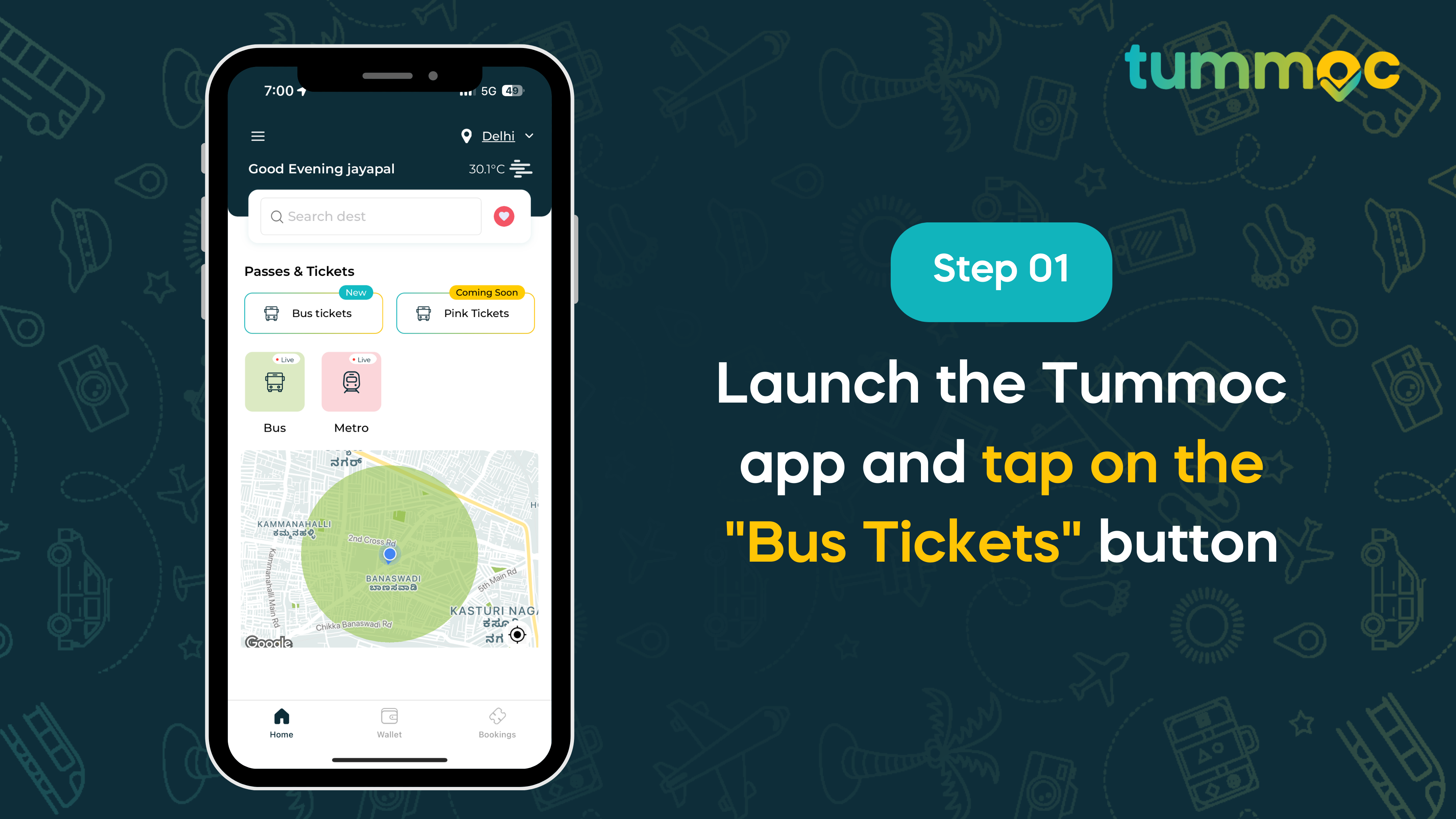
- Launch the Tummoc app and tap on the “Bus Tickets” button.
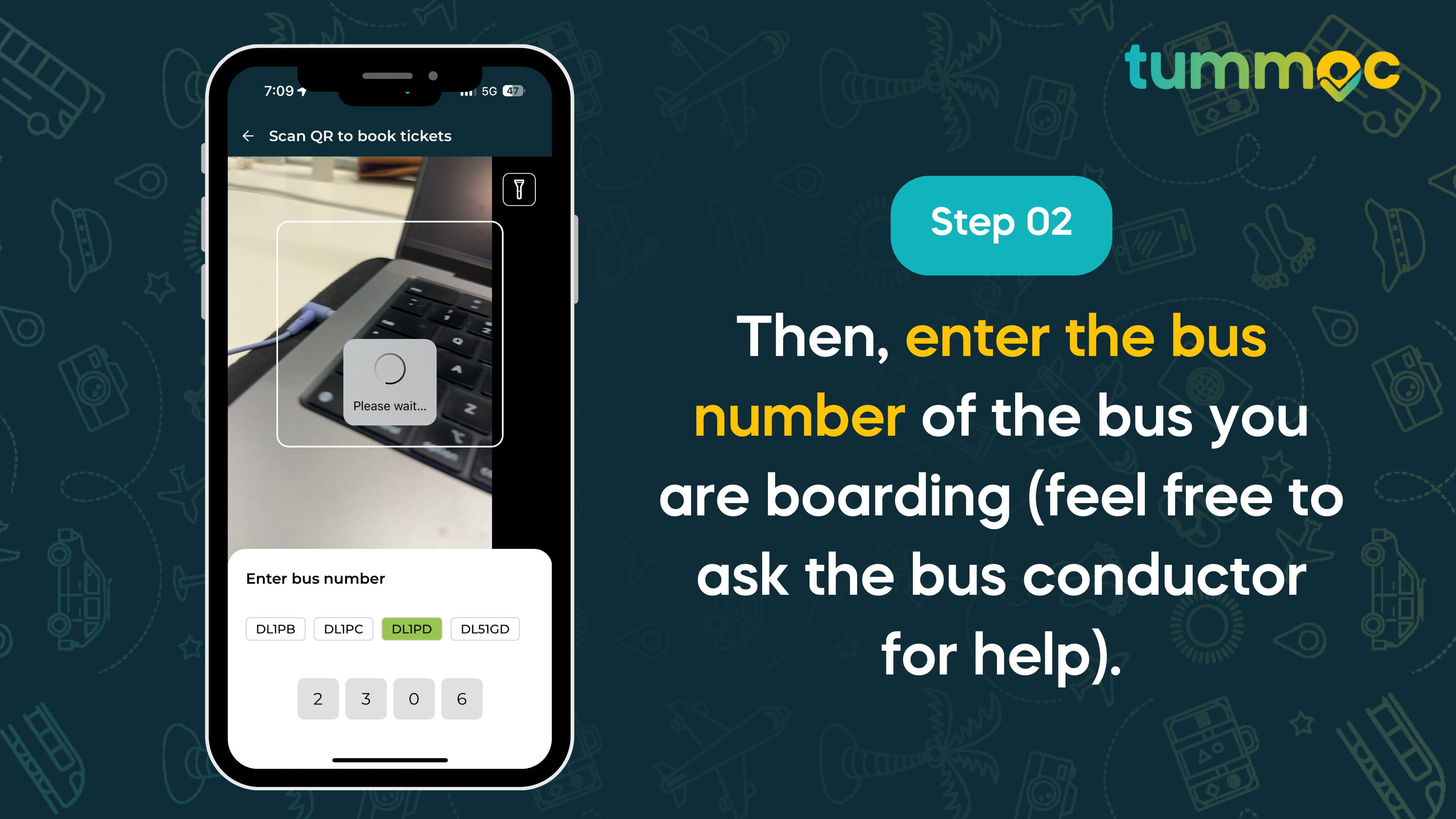
- Then, enter the bus number of the bus you are boarding (feel free to ask the bus conductor for help).
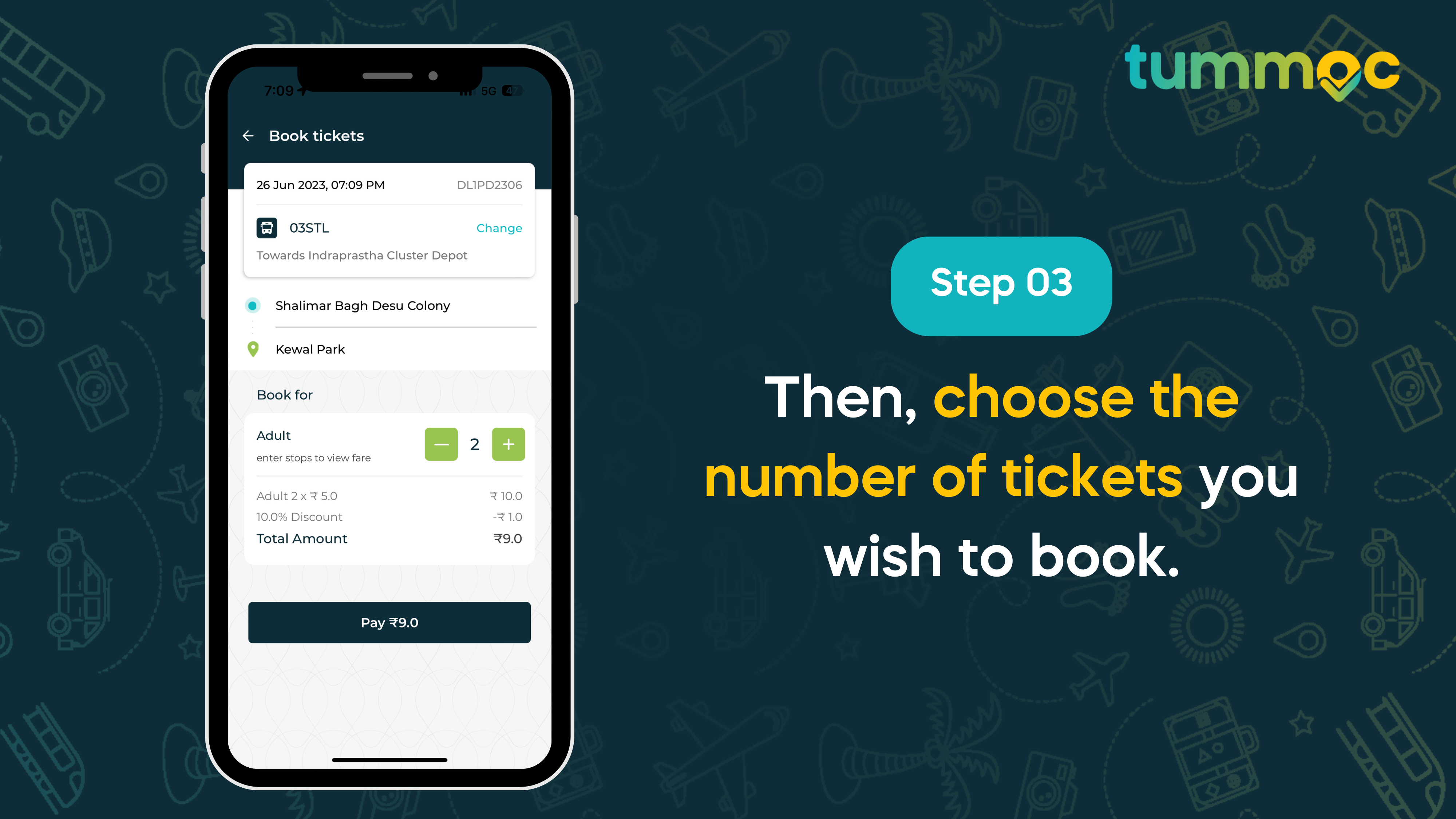
- Then, choose the number of tickets you wish to book.
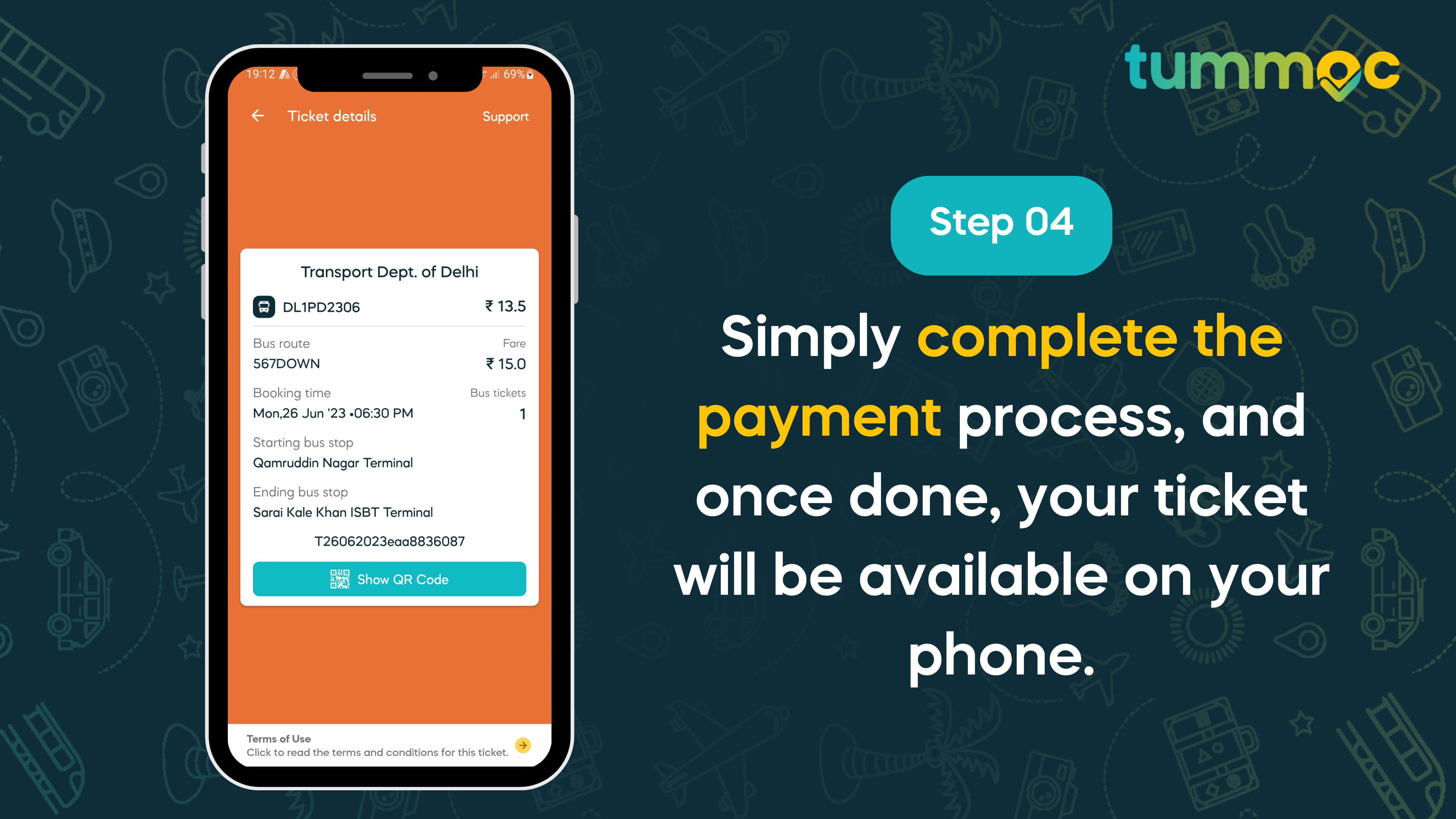
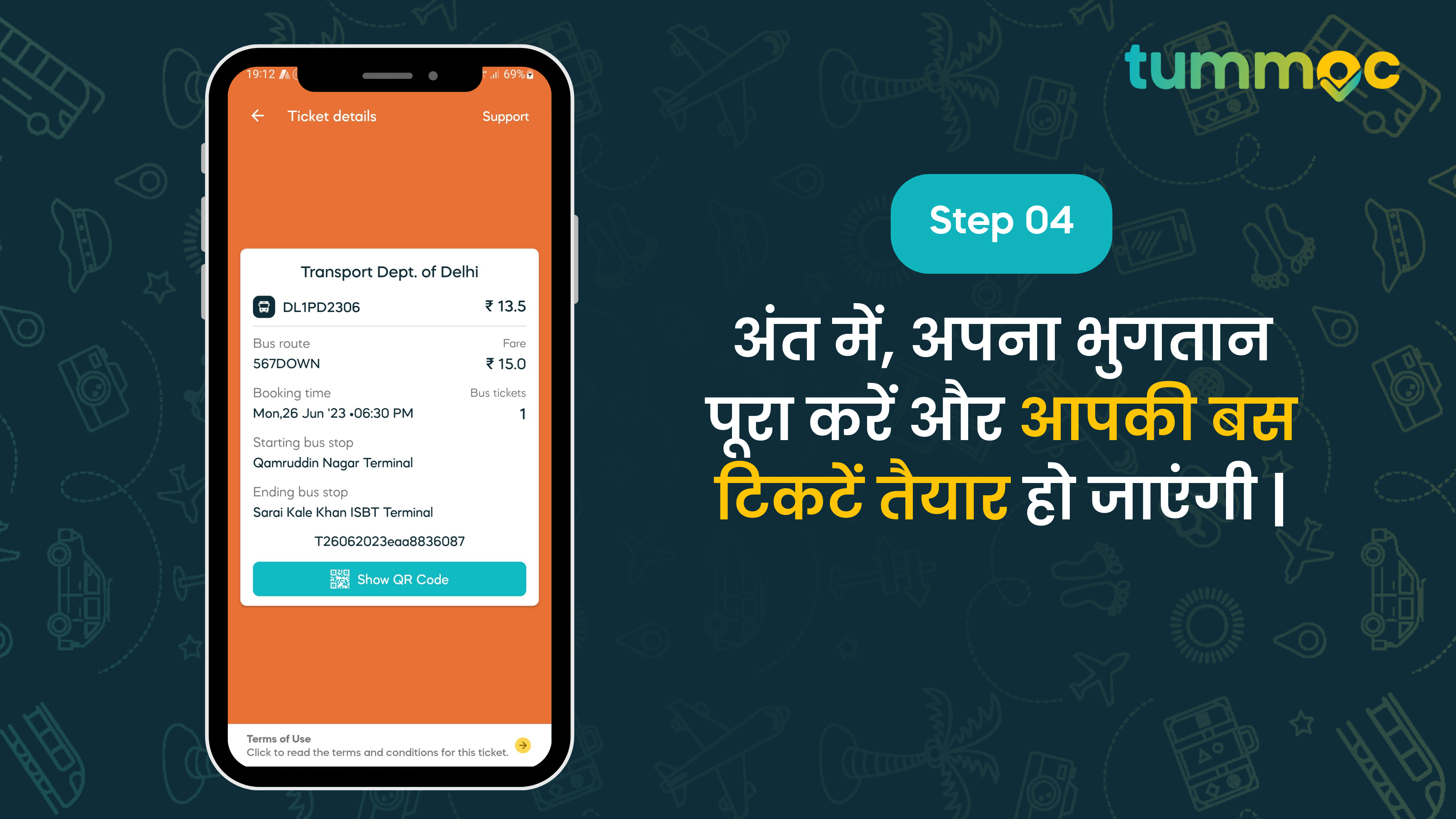
- Simply complete the payment process, and once done, your ticket will be available on your phone.
- Launch the Tummoc app and tap on the “Bus Tickets” button.
And to validate your ticket, you just need to show your ticket or QR code to the conductor.
That’s all. With just a few simple steps, your DTC tickets are booked online on Tummoc. And you know what else? You can also enjoy live tracking of DTC buses, and book autos for direct rides in Delhi. Basically, if you have to travel around Delhi, Tummoc is the only app you need 🙂
So, if you’re a Delhite and you haven’t experienced Tummoc yet, why wait? Download the app now and enjoy the smart commute life 🙂
If you aren’t already using Tummoc, join the smart commute revolution and download it here!
Happy Tummocing!
Hindi:
Tummoc पर DTC टिकट ऑनलाइन कैसे बुक करें ?
DTC बसों की लाइव ट्रैकिंग शुरू करने के बाद, हम आपको अपनी नवीनतम सुविधा के बारे में बताने के लिए बहुत उत्साहित हैं। अब आप Tummoc पर DTC टिकट ऑनलाइन बुक कर सकते हैं। यह सही है, आप कुछ ही चरणों में अपने फोन पर DTC बस टिकट खरीद सकते हैं।
और सिर्फ इतना ही नहीं | आपको ऑनलाइन बुक किए गए सभी टिकटों पर 10% छूट का आनंद मिलेगा।
यदि आप नियमित DTC बस यात्री हैं, तो आप जानते हैं कि महिला यात्रियों के लिए पिंक टिकट उपलब्ध हैं। पिंक टिकट बुक करने की प्रक्रिया थोड़ी अलग है. हमने अभी तक Tummoc पर पिंक टिकट लॉन्च नहीं किया है, लेकिन यह जल्द ही आ रहा है!
Tummoc पर DTC बस टिकट ऑनलाइन कैसे बुक करें?
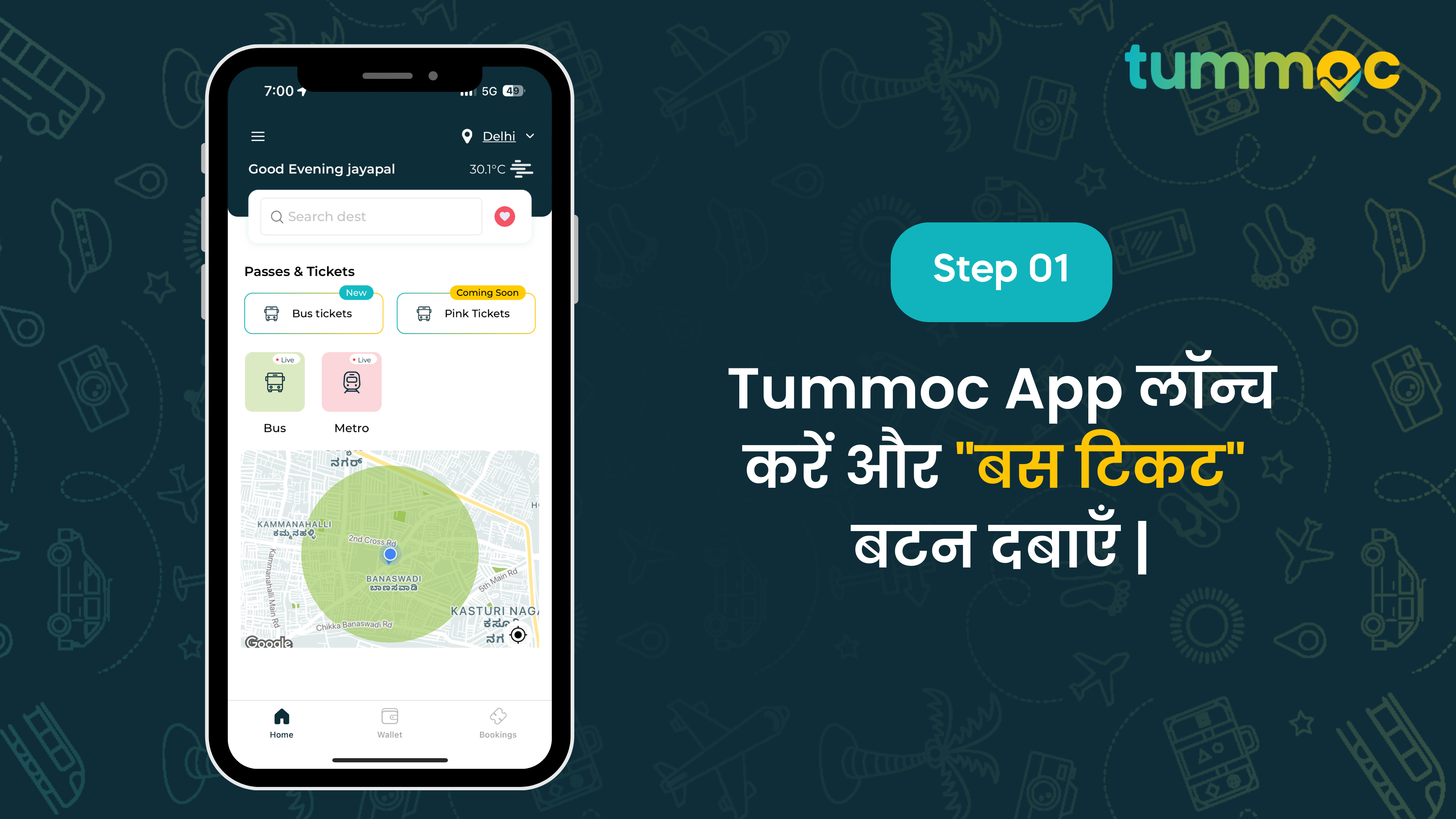
- Tummoc ऐप लॉन्च करें और “बस टिकट” बटन दबाएँ |
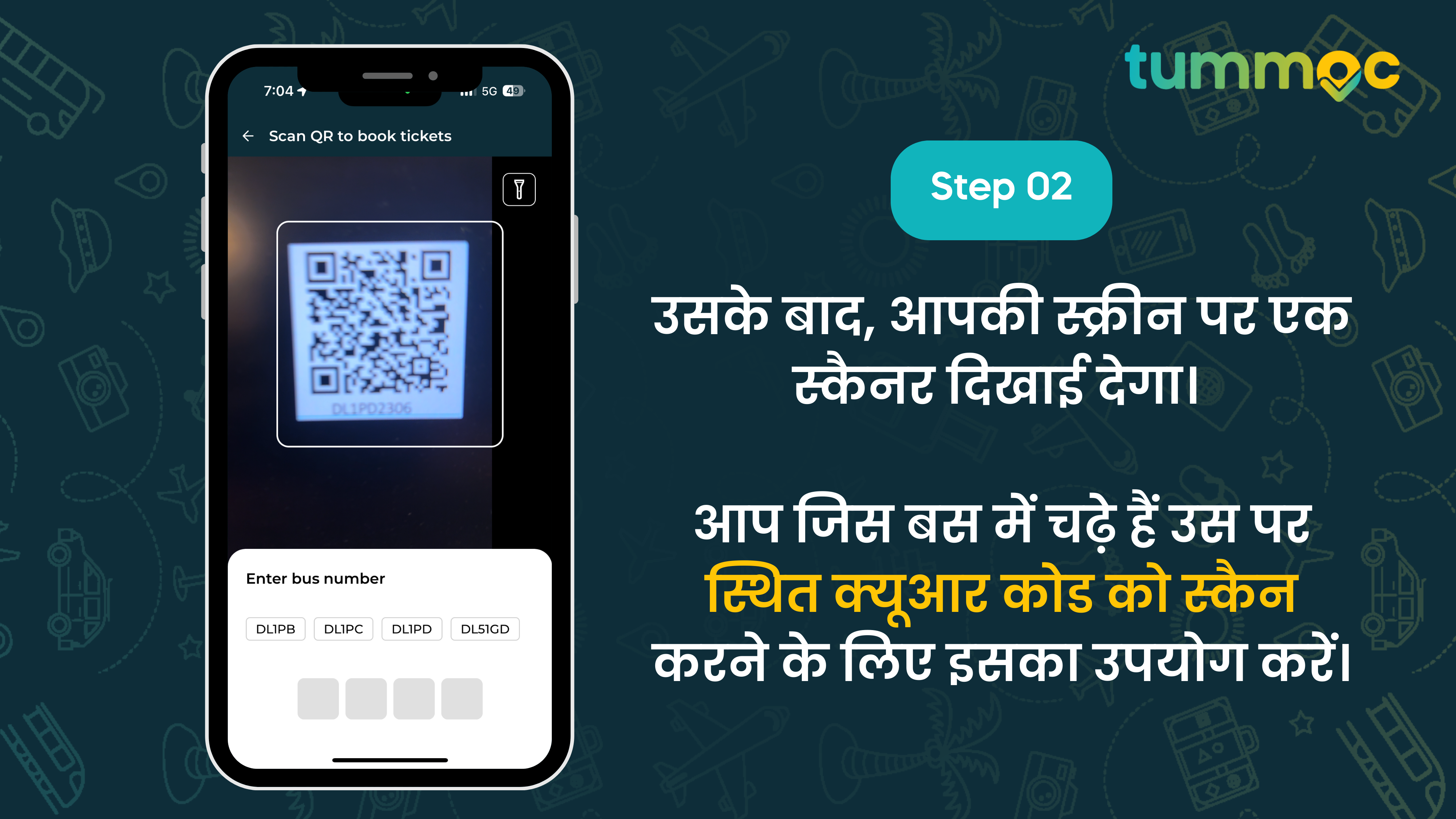
2. उसके बाद, आपकी स्क्रीन पर एक स्कैनर दिखाई देगा। आप जिस बस में चढ़े हैं उस पर स्थित क्यूआर कोड को स्कैन करने के लिए इसका उपयोग करें।
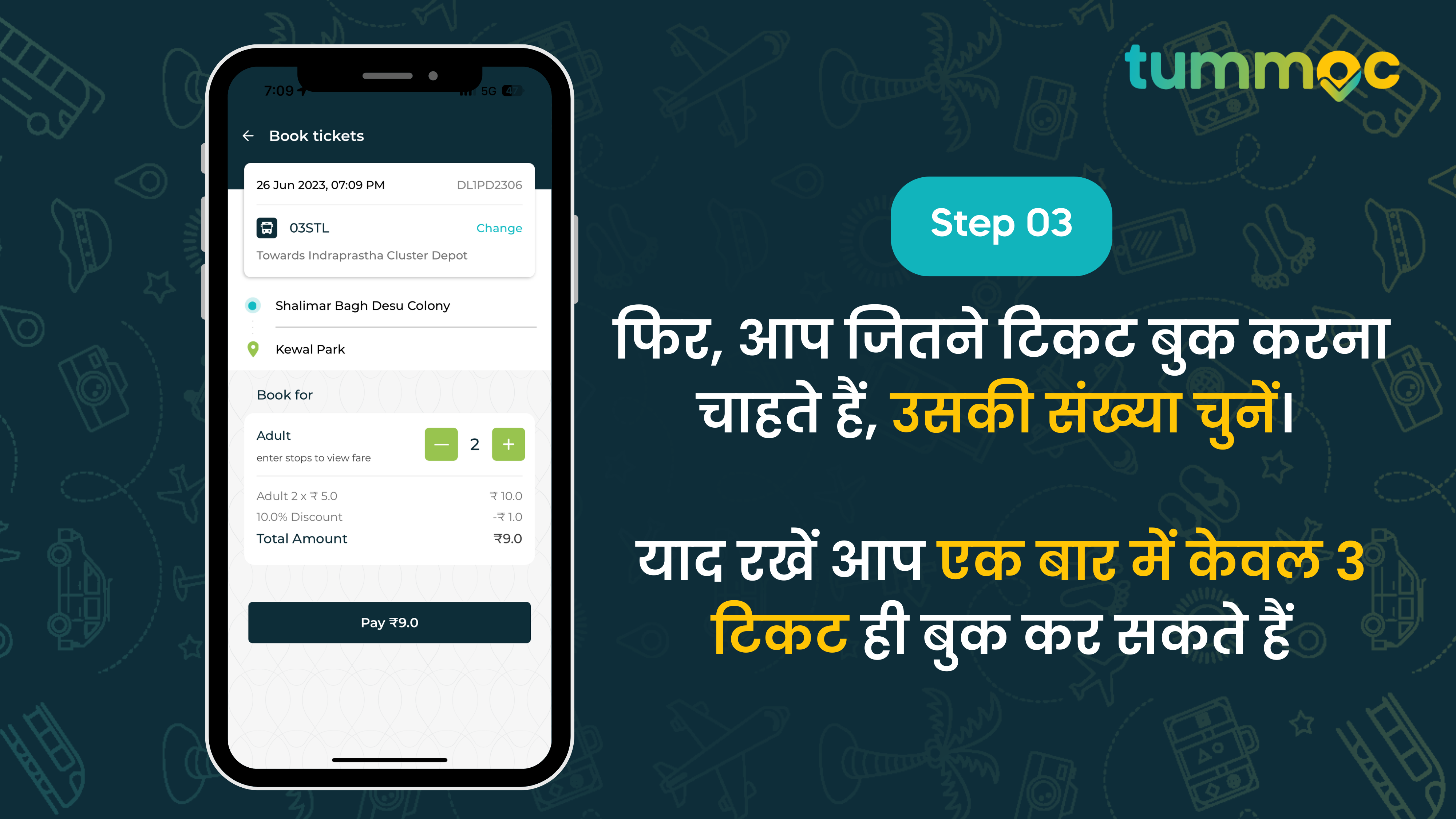
3. फिर, अपना गंतव्य दर्ज करें और DTC बस टिकटों की संख्या चुनें जिन्हें आप ऑनलाइन बुक करना चाहते हैं।
4. अंत में, अपना भुगतान पूरा करें और आपकी बस टिकटें तैयार हो जाएंगी |
वैकल्पिक रूप से, आप इस प्रक्रिया को इस्तमाल कर सकते हैं:
1. Tummoc ऐप लॉन्च करें और “बस टिकट” बटन पर टैप करें ।
2. फिर, जिस बस में आप चढ़ रहे हैं उसका बस नंबर दर्ज करें (यदि ज़रूरत हो तो बस कंडक्टर से मदद मांगें)।
3. फिर, आप जितने टिकट बुक करना चाहते हैं, उसकी संख्या चुनें। याद रखें आप एक बार में केवल 3 टिकट ही बुक कर सकते हैं |
4. बस भुगतान प्रक्रिया पूरी करें, और एक बार हो जाने पर, आपका टिकट आपके फ़ोन पर उपलब्ध हो होजायेगी |
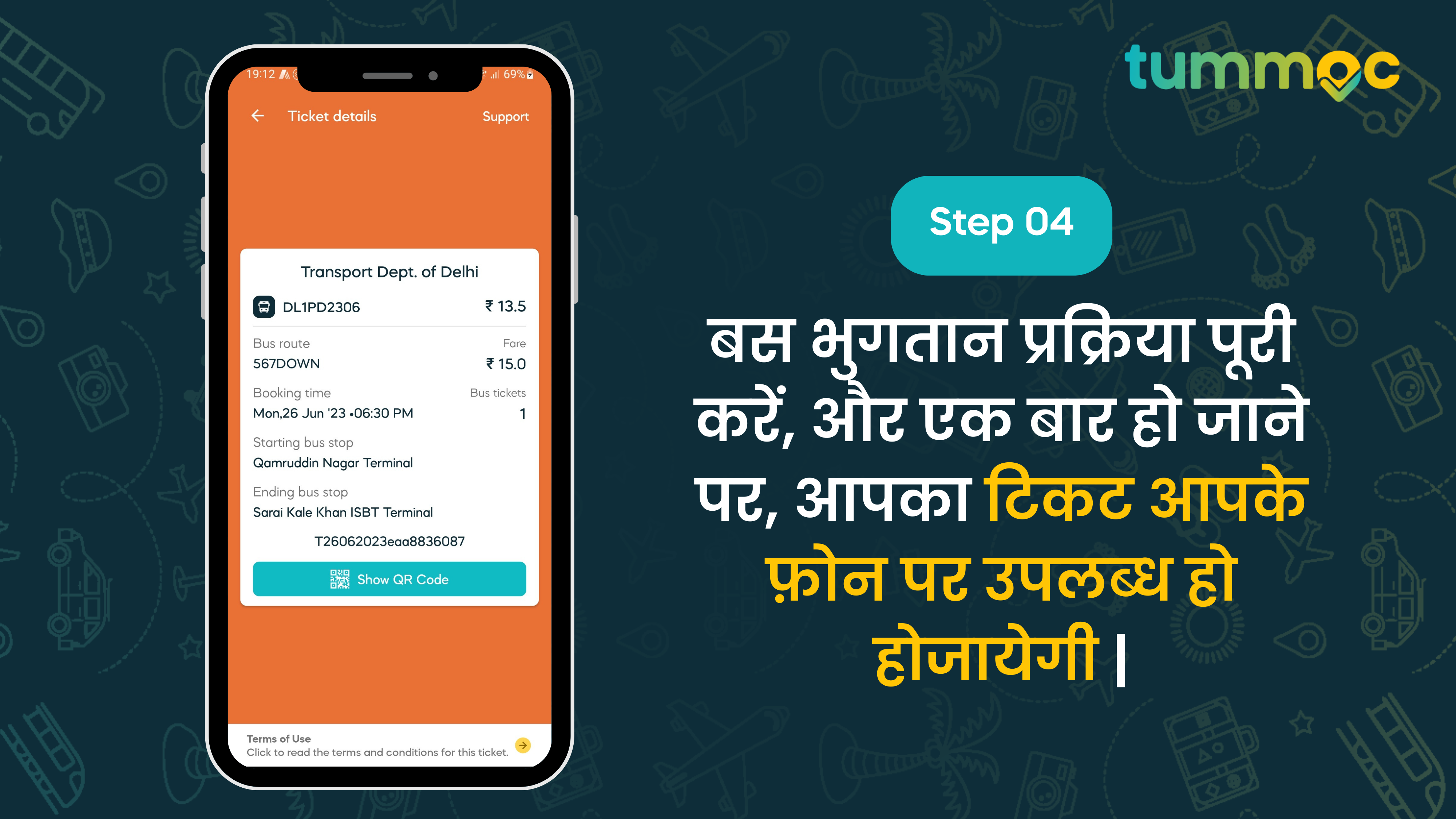
और अपने टिकट को मान्य करने के लिए, आपको बस कंडक्टर को अपना टिकट या क्यूआर कोड दिखाना होगा।
बस इतना ही। बस कुछ सरल चरणों के साथ, आपके DTC टिकट आपके फ़ोन पर और आपको पता है क्या? आप DTC बसों की लाइव ट्रैकिंग का भी आनंद ले सकते हैं, और दिल्ली में सवारी के लिए ऑटो बुक कर सकते हैं। मूल रूप से, यदि आपको दिल्ली के आसपास यात्रा करनी है, तो Tummoc एकमात्र ऐप है जिसकी आपको आवश्यकता है 🙂
तो, यदि आप दिल्लीवासी हैं और आपने अभी तक Tummoc का अनुभव नहीं किया है तो देर किस बात की? अभी ऐप डाउनलोड करें|